> ## Documentation Index
> Fetch the complete documentation index at: https://docs.raven.io/llms.txt
> Use this file to discover all available pages before exploring further.
# Raven Self Hosted Guide
> Welcome to the Raven platform deployment guide
 ## Setting up
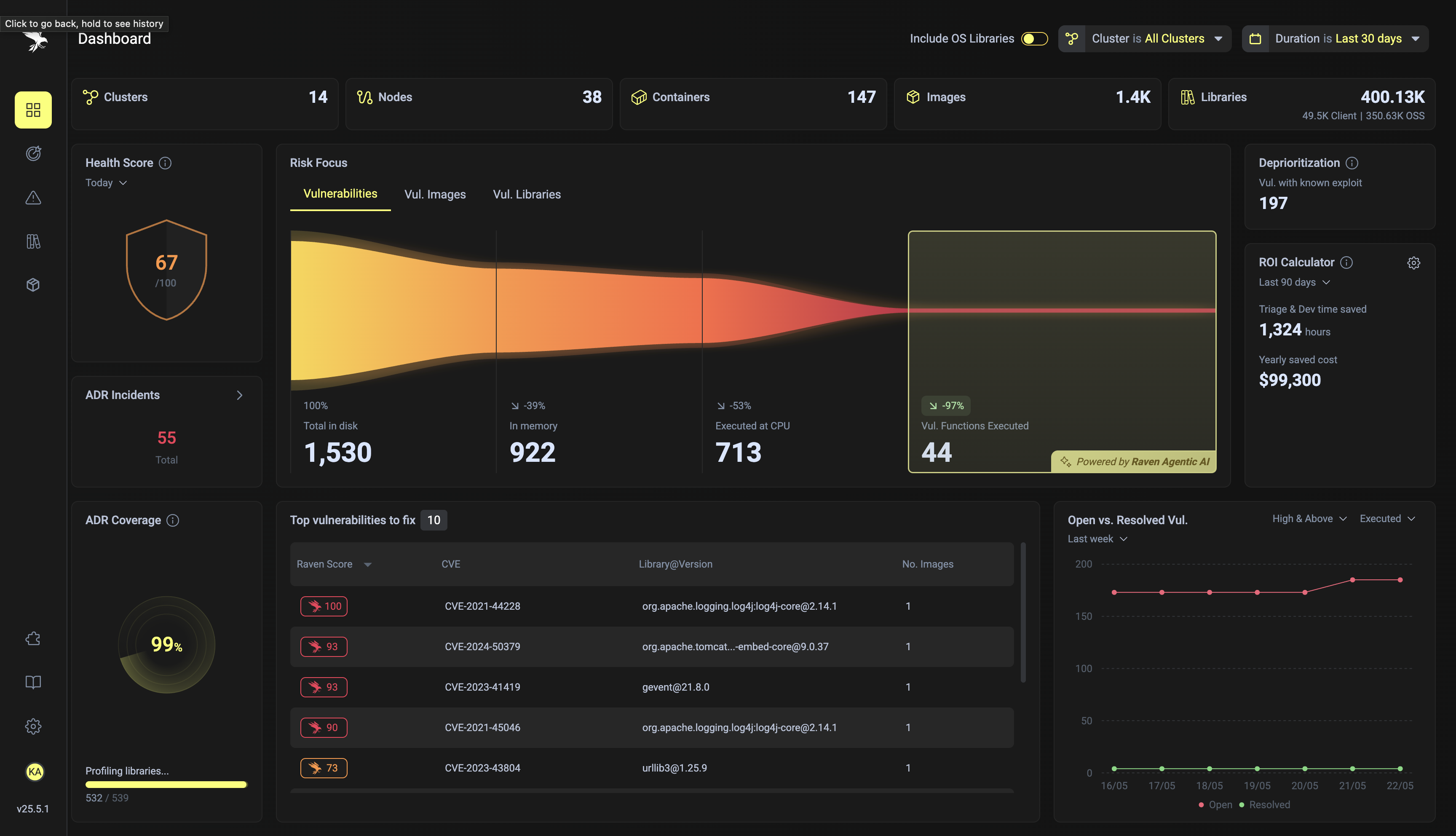
This documentation will guide you through the process of deploying Raven, a powerful platform designed to drastically deprioritize vulnerabilities, stop application attacks early in the kill chain and prevent vulnerabilities in the first place with runtime patching.
The deployment process involves setting up the necessary cloud infrastructure, IAM permissions, and then deploying the Raven platform on a kubernetes cluster using Helm charts.
Currently, this documentation supports deployment to AWS, GCP, and Azure. The Raven platform is designed to be cloud agnostic, allowing deployment to any cloud provider. While our current documentation is focused on AWS, GCP, and Azure, you are encouraged to attempt deployments on other cloud providers as it should work seamlessly. We are actively working on expanding our documentation to cover more cloud providers in the near future. Stay tuned for updates.
## Prerequisites
Before you begin, ensure you have the following:
* An AWS, GCP, or Azure account with the necessary permissions to create and manage resources.
* Kubernetes command-line tool (kubectl) installed.
* Helm package manager installed.
* Docker installed and configured.
## Raven Platform Components
PostgreSQL is a powerful, open-source object-relational database system known for reliability and performance. **AWS RDS Aurora**, **GCP Cloud SQL**, and **Azure Database for PostgreSQL** simplify its setup, operation, and scaling in the cloud.
Blob storage stores large amounts of unstructured data like program traces and stats files. **AWS S3**, **GCP Cloud Storage**, and **Azure Blob Storage** offer scalable, secure object storage for various use cases.
Redis is an in-memory data store used as a database, cache, and message broker. **AWS ElastiCache**, **GCP Memorystore**, and **Azure Cache for Redis** manage deployment, operation, and scaling in the cloud.
ClickHouse is a fast open-source column-oriented database management system that allows generating analytical data reports in real-time using SQL queries. **AWS EC2**, **GCP Compute Engine**, and **Azure Virtual Machines** provide the scalable compute capacity needed to self-host ClickHouse effectively.
Event processing captures and responds to system changes in real-time. **AWS Lambda**, **GCP Cloud Run**, and **Azure Container Apps** allow serverless execution of code triggered by other cloud services.
Kubernetes is an open-source platform for automating the deployment, scaling, and management of containerized applications. **AWS EKS** (Elastic Kubernetes Service), **GCP GKE** (Google Kubernetes Engine), and **Azure AKS** (Azure Kubernetes Service) provide managed Kubernetes services, simplifying cluster setup and operations.
You will need to configure these resources according to the specifications required by Raven. Detailed instructions for each resource will be provided in the subsequent sections.
Choose your cloud provider:
* [Setup AWS resources (S3, Lambda, RDS, ElastiCache, and EC2)](/aws-setup/). A terraform example is provided for reference.
* [Setup GCP resources (Cloud Storage, Cloud Run, Cloud SQL, Memorystore, and Compute Engine)](/gcp-setup/). A terraform example is provided for reference.
* [Setup Azure resources (Blob Storage, Container Apps, Azure Database for PostgreSQL, Azure Cache for Redis, and Virtual Machines)](/azure-setup/). A terraform example is provided for reference.
Raven relies on ClickHouse for efficient data storage and retrieval. Instructions for setting up and configuring ClickHouse will be provided.
[Install and configure raven-platform helm chart](/helm-installation/). An ArgoCD example is provided for reference.
## Raven Platform Deployment
Once the cloud resources are provisioned (Step 1), the next step is to deploy the ClickHouse instance (Step 2) and Raven platform on a Kubernetes cluster (Step 3). This involves several key steps:
Helm is used to deploy the Raven platform on Kubernetes. You will need to log in to Helm and add the Raven Helm repository. Instructions for this process will be provided.
Raven relies on ClickHouse for efficient data storage and retrieval. Instructions for setting up and configuring ClickHouse will be provided.
Setting up least-privilege IAM access ensures that each component of the Raven platform has only the permissions necessary to perform its functions. This minimizes security risks and adheres to best practices.
***
By following this guide, you will be able to deploy and configure the Raven platform on your cloud infrastructure. Each section of the documentation will provide detailed instructions and examples to ensure a smooth deployment process. Happy deploying!
## Setting up
This documentation will guide you through the process of deploying Raven, a powerful platform designed to drastically deprioritize vulnerabilities, stop application attacks early in the kill chain and prevent vulnerabilities in the first place with runtime patching.
The deployment process involves setting up the necessary cloud infrastructure, IAM permissions, and then deploying the Raven platform on a kubernetes cluster using Helm charts.
Currently, this documentation supports deployment to AWS, GCP, and Azure. The Raven platform is designed to be cloud agnostic, allowing deployment to any cloud provider. While our current documentation is focused on AWS, GCP, and Azure, you are encouraged to attempt deployments on other cloud providers as it should work seamlessly. We are actively working on expanding our documentation to cover more cloud providers in the near future. Stay tuned for updates.
## Prerequisites
Before you begin, ensure you have the following:
* An AWS, GCP, or Azure account with the necessary permissions to create and manage resources.
* Kubernetes command-line tool (kubectl) installed.
* Helm package manager installed.
* Docker installed and configured.
## Raven Platform Components
PostgreSQL is a powerful, open-source object-relational database system known for reliability and performance. **AWS RDS Aurora**, **GCP Cloud SQL**, and **Azure Database for PostgreSQL** simplify its setup, operation, and scaling in the cloud.
Blob storage stores large amounts of unstructured data like program traces and stats files. **AWS S3**, **GCP Cloud Storage**, and **Azure Blob Storage** offer scalable, secure object storage for various use cases.
Redis is an in-memory data store used as a database, cache, and message broker. **AWS ElastiCache**, **GCP Memorystore**, and **Azure Cache for Redis** manage deployment, operation, and scaling in the cloud.
ClickHouse is a fast open-source column-oriented database management system that allows generating analytical data reports in real-time using SQL queries. **AWS EC2**, **GCP Compute Engine**, and **Azure Virtual Machines** provide the scalable compute capacity needed to self-host ClickHouse effectively.
Event processing captures and responds to system changes in real-time. **AWS Lambda**, **GCP Cloud Run**, and **Azure Container Apps** allow serverless execution of code triggered by other cloud services.
Kubernetes is an open-source platform for automating the deployment, scaling, and management of containerized applications. **AWS EKS** (Elastic Kubernetes Service), **GCP GKE** (Google Kubernetes Engine), and **Azure AKS** (Azure Kubernetes Service) provide managed Kubernetes services, simplifying cluster setup and operations.
You will need to configure these resources according to the specifications required by Raven. Detailed instructions for each resource will be provided in the subsequent sections.
Choose your cloud provider:
* [Setup AWS resources (S3, Lambda, RDS, ElastiCache, and EC2)](/aws-setup/). A terraform example is provided for reference.
* [Setup GCP resources (Cloud Storage, Cloud Run, Cloud SQL, Memorystore, and Compute Engine)](/gcp-setup/). A terraform example is provided for reference.
* [Setup Azure resources (Blob Storage, Container Apps, Azure Database for PostgreSQL, Azure Cache for Redis, and Virtual Machines)](/azure-setup/). A terraform example is provided for reference.
Raven relies on ClickHouse for efficient data storage and retrieval. Instructions for setting up and configuring ClickHouse will be provided.
[Install and configure raven-platform helm chart](/helm-installation/). An ArgoCD example is provided for reference.
## Raven Platform Deployment
Once the cloud resources are provisioned (Step 1), the next step is to deploy the ClickHouse instance (Step 2) and Raven platform on a Kubernetes cluster (Step 3). This involves several key steps:
Helm is used to deploy the Raven platform on Kubernetes. You will need to log in to Helm and add the Raven Helm repository. Instructions for this process will be provided.
Raven relies on ClickHouse for efficient data storage and retrieval. Instructions for setting up and configuring ClickHouse will be provided.
Setting up least-privilege IAM access ensures that each component of the Raven platform has only the permissions necessary to perform its functions. This minimizes security risks and adheres to best practices.
***
By following this guide, you will be able to deploy and configure the Raven platform on your cloud infrastructure. Each section of the documentation will provide detailed instructions and examples to ensure a smooth deployment process. Happy deploying!